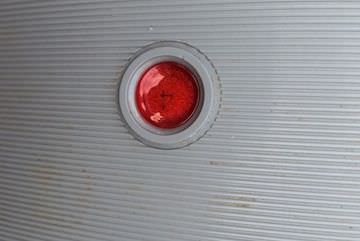
Polaroid 600 AutoFocus – Wink Instead Of Sonar

The first Polaroid SX7o had a dial for a user to estimate the distance to their subject as a method to tell the camera what was in focus. After a short time, a split circle Range Finder focus solution was added to remove the guess work for focusing. Then, the ‘AutoFocus Sonar’ was added. It is recognizable by the large gold grill circle on the front of the camera. The Sonar focus system works by sending out a sound pulse then measuring how long it takes to get back to the camera to know the distance to focus to.
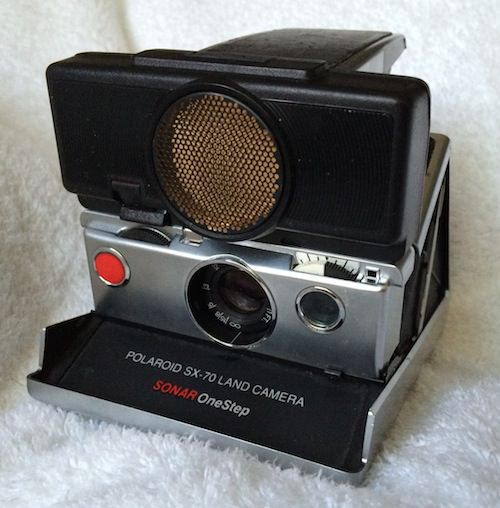
IMG_3575

The 600 Series Polaroid have a variety of versions.

The basic 600 has no special focus, it is set to photograph things 4 feet and further away.
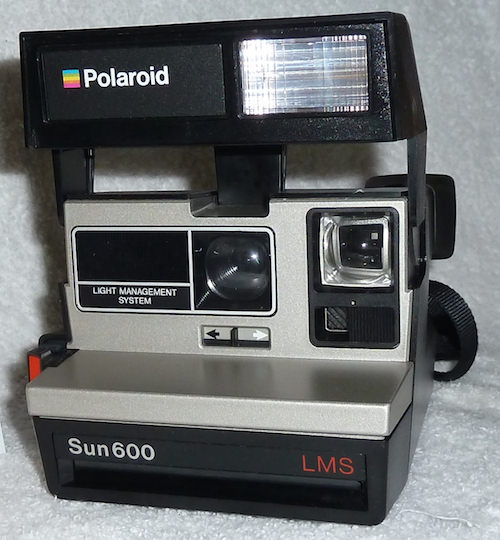
P1050332

An updated 600 came with a Close Up lens (normally called the 636) which is manually slid over in front of the camera lens to better focus on item 2 feet to 4 feet away.
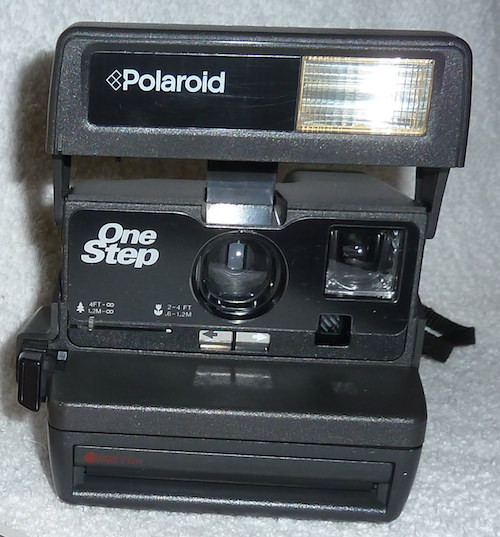
P1040692

The ‘Pro’ version of the 600 (normally called the 660) had the large Sonar focus gold grid that automates pin point focusing.

P1050004

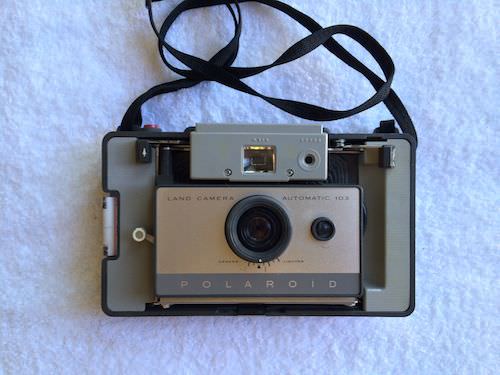
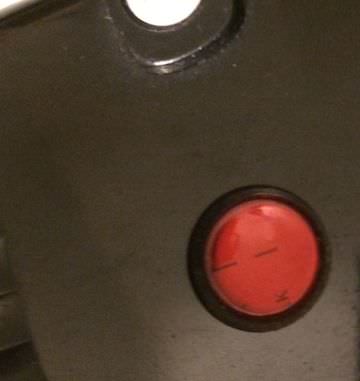
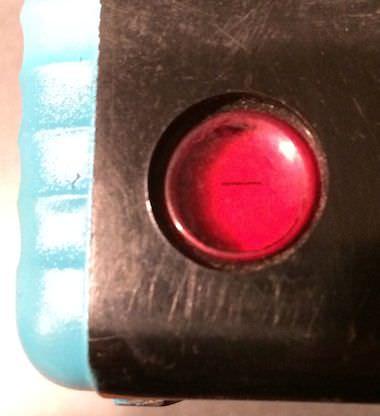
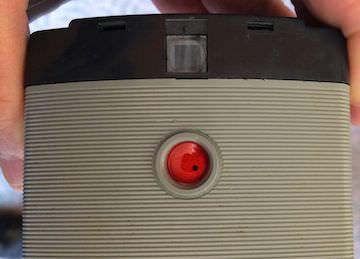
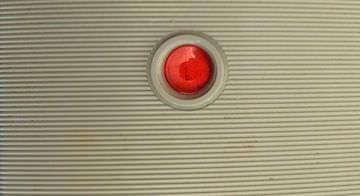
A less known 600 is the AutoFocus that does not have Sonar. It uses, though not mentioned anywhere in it’s literature, the ‘Wink’ focus method.
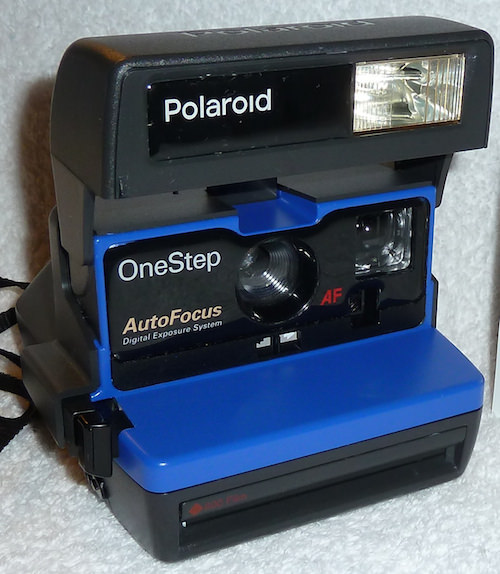
P1050445

I spent a period of time trying to figure out how the auto focusing on this 600 worked. Pulling the cameras apart, searching my repair manuals. Finally, by shear luck, I came across the patent for the technology.  I say shear luck since Polaroid has a LOT of patents. In it, the system is highly detailed in tech and lawyer speak, it is a patent after all.

The Wink technology is an adjustment to the sensor that tells the camera if the flash is needed and how strong to flash the strobe. Rather than just watching for light bouncing, part of the sensor has a filter over it that restricts the light down to InfraRed which isn’t visible light. The problem with just using the light bouncing off an object is that it can be confused by colors, like a dark blue shirt vs a white sweater will be seen differently yet the two people are the same distance away. The IR sensor doesn’t see colors so it isn’t confused, rather it sees light not visible to the human eye so it can be used to calculate distance based on how long it takes the bounced light to return.

While a Polaroid camera appear outwardly as a simple camera, actually the strength and timing of the flash as well the time the shutter is open is all closely controlled. When you push the shutter, an internal timer starts for when the camera lens shutter will actually open. The flash starts to pulse, and the sensor starts watching the light coming back. If the light comes back really quickly, the flash lessens it’s brightness and the shutter fires quicker. If the sensor says it is dark, the time for the light takes a long time to come back, the flash goes long and the lens stays open longer. Sounds simple, but all of this is happening in hundred of milliseconds (the shutter fires automatically if it isn’t told differently at 124 ms, and the whole process won’t exceed 396 ms… wow!).

Since I doubt you will ever pull your Polaroid 600 apart, here is a couple photos you might find interesting. The first is the inside of a version of the camera that has the manual close up lens. The lens is part of the cover that is removed. What you can see here is in the center, just below the lens is a mechanical arm that is connected to the switch on the front of the camera which allows for the adjustment of light/dark backgrounds. On the right, you can see the filtering geared circle that controls the amount of light that reaches the sensor to vary how the camera take the picture. This is seen through a square on the front of the camera just below the viewfinder lens.
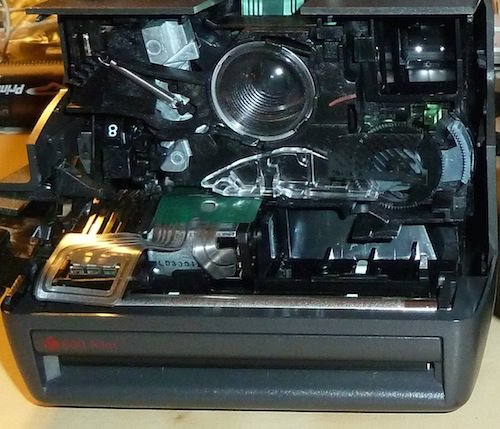
P1050365 a

In the case of the (non-Sonar) AutoFocus Polaroid 600… oh, look at the electronics. The camera has moved away from the user actually manually adjusting things. Instead, when the light/dark slider on the front is moved, it is actually a three position switch that is moved. The white switch can be seen below and to the right of the lens. Moving the arm doesn’t move a filter, instead in this case it just tells the program that calculations need to be done to compensate for over light/dark backgrounds.
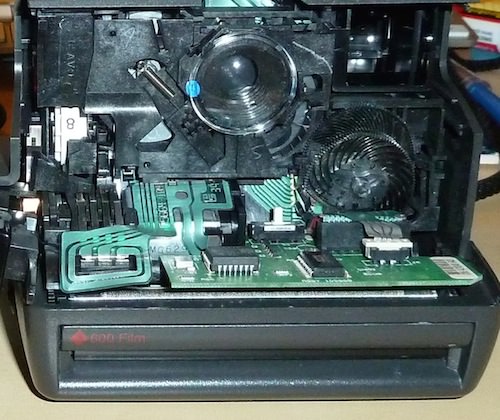
P1050365 b

How to remove a partially used Polaroid film pack without ruining it

Sometimes, there is a need to pull a partially used film pack cartridge out of a Polaroid camera like a 600 series or SX70. It might be because the camera is having an issue, or you need to move the unused film to another camera.

I used to go into a zero light room and pull the cartridge out to put in a black bag or the other camera. Placing the cartridge in another camera, the camera auto ejects the top image… a waste of a print. My thought was that by just opening the camera film door, the film would be ruined.

Actually, opening the door doesn’t effect the film. With the door open, the trick is to insert the black card that ejects when a fresh film pack is initially put into the camera. It can be tricky to get the card over the upper most unused photo frame and under the case rail. But, it is possible, and by doing so the cartridge can be removed without loosing the use of a photo.

When you open the film door on your Polaroid, you will need to use the card to pull the thin black plastic lip back in order to see the print cards in the film cartridge.

Here is a video from The Impossible Project outlining the process to fix a sticky film issue. But, the removal steps are the same for what ever the reason you have.

Recently I have found that the first print out of the pack when I move it to another camera has the top of the photo print is nice and the rest is less perfect. It is always the first print only. It is leading me to believe that action of pushing the top card back in might be compromising the small chemical pack. If your doing this to test a camera works or not, it will give you that info. Otherwise though, if the top photo is a throw away, perhaps I will go back to swapping the pack in a dark room and having the top photo wasted as it gets ejected like the top card does.

Impossible print

UPDATE – I have been having very good luck with using an old Polaroid print to slide in on top. It doesn’t seem to cause the next print to have any/much streaking, the camera pushes it out better when first loading the cartridge, and the corners don’t curl and scratch like using the original top card does.


Holding the camera when pulling the picture out

Pulling the photo out of a Polaroid, normally I’m paying attention to not tearing the image tab and pulling at a steady rate. But, the hand holding the camera is very important too, and often not done correctly.

In an attempt to make the cameras smaller, Polaroid tightened the space that the film needs to make a 180 degree turn on it’s way out of the camera. Remember, the exposed film is at the front of the camera and must go around the end of the camera to exit at the back of the pack of film. If the camera is held tightly on the end the film is making the sharp turn, it get’s pinched and unable to make the desired trip.

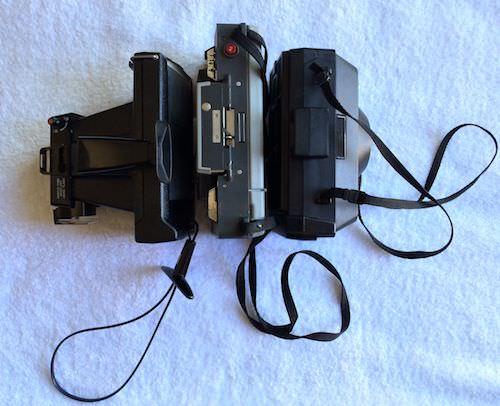
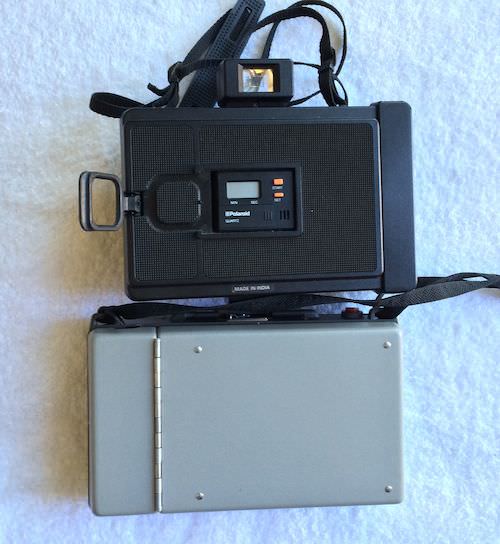
Here you can see the early Polaroid sandwiched between a Reporter and a Super Shooter.

001 pull handle polaroid

The early cameras had a handle area on one end, where the film is making the turn. The bodies are more solid and the handle is outside of the area of the turn.

002 pull handle polaroid

The Super Shooter and Big Swinger (not pictured here) have a handle that isn’t just for carrying the Polaroid. The ‘T’ handle is best used to hold the camera firmly when pulling the film out, removing the possibility of pinching the case.

003 pull handle polaroid

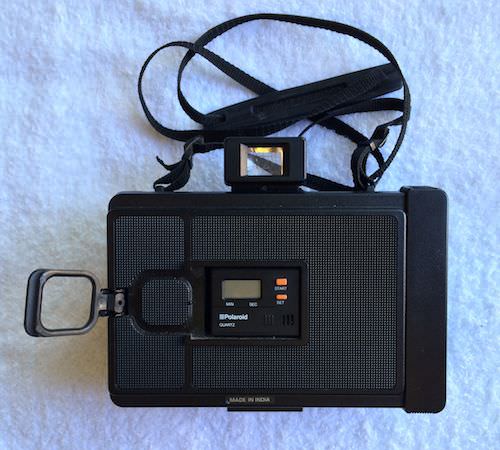
The ‘Reporter’ has a little ring that clicks into the back cover. Most people think this is for locking down the heat sleeve or holding the Pro’s timer. Actually, it flips out and should be used to hold the camera like the ‘T’ handle. But, the ring means fewer fingers holding the camera on pull, a trade off for removing the need for a big strap off the end of the camera.

004 pull handle polaroid

It is easy to see here how the flip out handle puts the holding area right where the extra area of the camera used to be in the earlier cameras. That extra area was also the battery holder so it isn’t there just as a handle.

005 pull handle polaroid


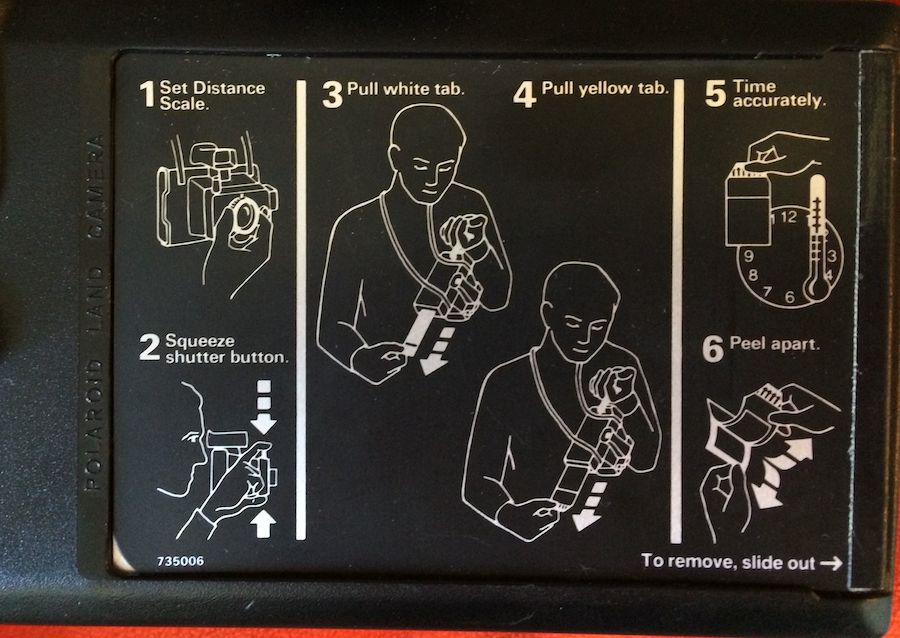
The instructions on the back of some Polaroids covers the rest of the process:

Polaroid Back

Advancing 620 Film in the Camera

Once your film is loaded into your camera, you may notice that the film is most vintage cameras won’t automatically stop at the point to take the next photo. Some cameras do know how many times you can twist the film advance nob and stop you from going too far. Though, most do not, and those will let you keep turning through the whole roll of film.

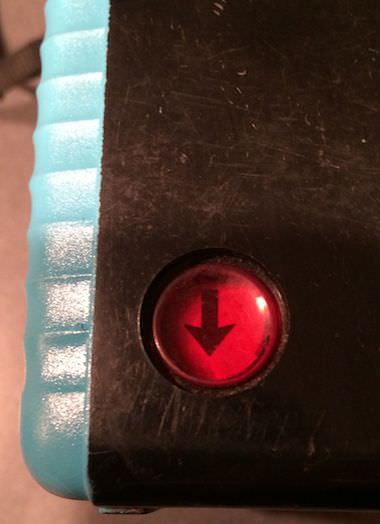
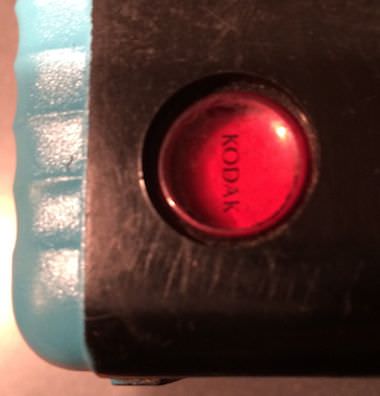
The red window on the back of the camera gives you a view of what is going on with the film advancement. After the initial pass through the area of cover paper, you will want to watch for the word Kodak or the other name of the film manufacture. This is your warning to start slowing down as the stopping point is coming up. Each stopping point, your next photograph, is marked with a counter number: 1, 2, 3,… etc. Watch out for the first one ‘1’, it looks a lot more like a pipe ‘|’ than a number. The numbers after that all look like normal printed numbers. If you go to far, vintage cameras do not have a ‘rewind roll’ option so you either keep advancing at to the spot after the numbers going foreword or waste a shot. Otherwise, you will get an area of double exposure and possibly the photo shop won’t be able to print a double wide overlapping photo. Opening the back of the camera in absolutely total darkness to roll the film back a bit is an option. I have had mixed luck with getting the tension correct as the film/paper cover need to have the right alignment to work correctly. Looseness can cause miss numbering also as well as introduce the possibility of light flares.

01a 620 film 01b 620 film 02a 620 film 02b 620 film 03a 620 film 03b 620 film

Advancing 127 Film in the Camera

Most vintage cameras using 127 film do not automatically stop at the next spot for a fresh photograph to be taken. You can literally just keep spinning the nob till all of the film is off the new spool onto the receiving spool. In order to know when to stop, you have to use the view of the film through the red dot in the back. A common problem is advancing a bit too far, thus getting less shots per roll of film. For 127 film, that should be (depending on camera) 12 shots of square format or 8 of the rectangular format.

Initially, you have to turn a lot of times as the receiving spool is small centered and you have to move the film covering then the distance across the photo box inside the camera. There is actually a ‘your almost to the next shot, slow down’ markings on the film. These are in the form of dots. As you turn the film advance nob, you will see a small dot pass by, then a larger, larger, then the number for the photograph, stop there. Most film have three warning dots, then the number. Crank till the number is in the middle of the red eye and stop for the next photograph. Don’t worry if the numbers are upside down, generally they will be.

There is no going back, so if you go too far, remember how far you went past the number and do the rest of the roll that way. Or else, the late, then next photos will overlap creating an area of double exposure. You could open the camera in total (I mean 100% black!) darkness and roll the film back onto the starting roll but the multi layers of film/paper can get it’s tension off and then the next photos might have light flare issues.

01 127 film 02 127 film 03 127 film 04 127 film